
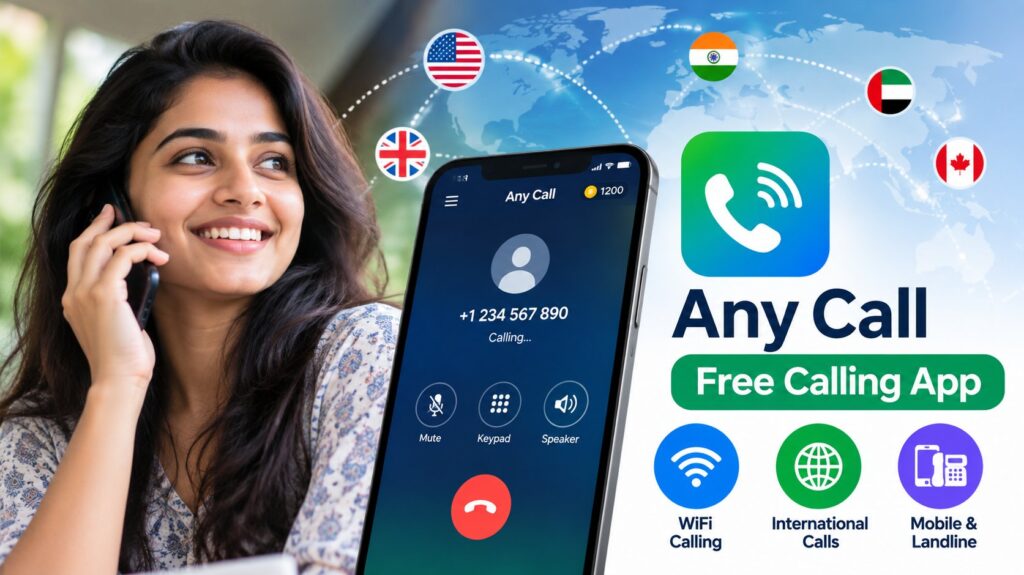
Any Call App 2026:- International calls from India have gotten cheaper over the years, but they’re still not free. If you’re calling family in the Gulf, a friend in the UK, or a business contact in the US regularly, the cost adds up — particularly on postpaid plans where international calling rates are bundled awkwardly or on prepaid plans where every minute costs real money.
Apps that promise free calling over WiFi have existed for years, with varying degrees of actually delivering on that promise. Any Call is one of the more downloaded options in this space — over 10 million installs on Google Play — and it takes a specific approach to “free” that’s worth understanding clearly before you download it and start making calls.
This review covers what the app does, how the free calling model actually works, what the privacy situation looks like, and whether it’s worth using for your specific calling needs.
What Is Any Call?
Any Call is an Android calling app that routes calls over the internet — WiFi or mobile data — rather than through your carrier’s cellular network. It uses VoIP (Voice over Internet Protocol) technology, which is the same underlying approach used by WhatsApp calls, Google Meet, and Skype.
What distinguishes Any Call from messaging-first apps like WhatsApp is its claim that recipients don’t need to have the app installed. Rather than app-to-app calls, it advertises the ability to call regular mobile and landline numbers in over 200 countries — functioning more like a calling credit service that uses your internet connection.
The app is Android-only and available on Google Play. With 10M+ downloads and a 3.7-star rating across 40,000+ reviews, it has a meaningful user base — though the rating suggests the experience is mixed.
How Does “Free” Actually Work Here?
This is the most important thing to understand before downloading, and the part that’s least clear from the app’s marketing.
Any Call is not unconditionally free. The free calling model works like this:
You earn credits. Credits buy you calling time.
Credits are earned by:
- Watching advertisements within the app
- Completing offers — surveys, app installs, sign-ups for services
- Inviting friends to join the app
Once you have credits, you can use them to call regular phone numbers. When credits run out, you either earn more through the above activities or pay to top up.
This is a common model in the “free calling” app space — and it’s a legitimate model, but it means your calling is only free in the sense that you’re trading time and attention (watching ads, completing tasks) rather than money. Whether that trade is worthwhile depends on how much calling time you get per ad viewed, and whether the offers available in your region are ones you’d actually complete.
The practical reality: for occasional international calls where you don’t mind watching a few ads, this can work. For frequent or high-volume calling, the credit-earning model gets tedious quickly.
Key Features — What the App Actually Offers
WiFi and Mobile Data Calling
Any Call works over any internet connection — home WiFi, office WiFi, or cellular data (3G/4G/LTE). You’re not restricted to WiFi only, which makes it usable when you’re out and about. Call quality depends entirely on your connection speed and stability — a weak or congested connection produces choppy, delayed, or dropped calls.
International Calling to 200+ Countries
The app advertises coverage to mobile and landline numbers across more than 200 countries. For India-based users calling abroad — to Gulf countries, the UK, US, Australia, or elsewhere — this is the primary use case the app is built around.
That said, the credit cost per minute varies by destination. Calling the US might cost fewer credits per minute than calling a less common destination. Check the in-app rates for your specific destination before relying on it for important calls.
Calls to Regular Phone Numbers
Unlike WhatsApp or Signal where both parties need the app, Any Call can dial standard mobile and landline numbers. The recipient receives an incoming call on their regular phone — they don’t need to download anything.
This is the feature that gives the app its practical appeal. You can call your parents in a Gulf country on their regular mobile number without requiring them to install any app.
No App Required for Recipients
The receiving end of the call has no technical requirements. This makes it genuinely useful for calling older relatives, business contacts, or anyone you can’t ask to install a specific app.
Call Quality — What to Expect
VoIP call quality over internet connections varies more than traditional cellular calls. What affects it:
Your internet connection speed and stability
A consistent connection of at least 1–2 Mbps is generally sufficient for VoIP calls. Slower connections, or connections with high latency (common on some mobile data connections in India), produce delays and voice quality issues.
Network congestion
Calling over a heavily loaded home WiFi network — multiple people streaming, gaming, or downloading simultaneously — can degrade quality. A direct ethernet connection or an unloaded WiFi network gives the best results.
The destination country’s network
The call eventually connects to a regular phone network at the recipient’s end. If the termination network in the destination country is congested or has routing issues, quality suffers regardless of your connection.
The app’s servers
Any Call’s servers handle the routing of your call. Server load and infrastructure quality affect whether calls connect reliably and maintain quality.
For casual conversations, most users find internet calling acceptable. For important calls — job interviews, medical consultations, business discussions — having a backup plan if quality is poor is sensible.
Any Call vs Other Free Calling Options
Before deciding on Any Call, it’s worth understanding where it sits relative to other options:
| App | Free Calling Model | Requires Recipient App | International Calls |
|---|---|---|---|
| Any Call | Credits earned via ads/offers | No — calls regular numbers | 200+ countries |
| Free app-to-app calls | Yes — both need WhatsApp | App-to-app only | |
| Google Meet/Duo | Free app-to-app | Yes | App-to-app only |
| Skype | Free app-to-app; credits for regular numbers | Yes for free; No for Skype Out | Yes (paid credits) |
| Google Voice | Free to US numbers; credits for international | No | Limited countries |
| JioCall | Free over Jio network | No | Limited |
Where Any Call has an edge: Calling regular phone numbers internationally without requiring the recipient to have an app, using a free-credit model.
Where it falls short: The credit-earning model requires ongoing effort. Privacy data practices (more on this below) are less reassuring than some alternatives. The 3.7-star rating suggests inconsistent experience.
The honest comparison: If both you and the person you’re calling have WhatsApp, a WhatsApp call is almost always better — better quality, encrypted, no ads, no credits to earn. Any Call’s value is specifically for situations where you need to call a regular phone number and the recipient can’t or won’t install an app.
Privacy — Read This Before You Install
This section deserves particular attention because the Google Play Data Safety information for Any Call raises points that users should make an informed decision about.
According to the developer-provided safety information on Google Play:
- The app may collect location data and personal information
- Data may be shared with third parties
- Data is described as not encrypted
- Data cannot be deleted by the user
These are significant privacy flags. “Data not encrypted” means conversations and data transmitted through the app may be readable by the service or by third parties. “Cannot be deleted” means information collected during your use of the app stays with the developer.
For casual calls where privacy isn’t a concern — calling a restaurant to make a reservation, for instance — this may be acceptable. For calls where privacy matters — personal conversations, financial discussions, anything sensitive — these practices are a meaningful concern.
Comparison: WhatsApp uses end-to-end encryption by default. Signal uses end-to-end encryption. Many mainstream calling apps have moved toward encryption as a baseline. Any Call’s stated data practices sit meaningfully below that standard.
Before installing, review the current Data Safety section on Any Call’s Google Play listing — practices can be updated, and the most current information there supersedes what was available when this review was written.
Who Is This App Actually Useful For?
Good fit:
- Users who need to occasionally call international regular phone numbers and don’t want to pay per-minute rates
- Situations where the recipient has no smartphone or no relevant app installed
- People comfortable with the ad-watching credit model for low-frequency calls
- Supplementary calling option when regular call rates are high
Not a good fit:
- Frequent callers who need high-volume international calling — the credit model becomes burdensome
- Calls requiring privacy or confidentiality
- Anyone whose primary contacts are on WhatsApp or another free app-to-app service
- Users who prioritize consistent call quality
How to Download and Set Up Any Call
Step 1: Download from Google Play
Search “Any Call” on Google Play and install the official app. Check that the developer name matches the legitimate listing before downloading — there are sometimes similarly named apps.
Step 2: Install and Open
Open the app after installation and complete the initial setup — typically involves phone number verification.
Step 3: Review Permissions
Before granting permissions, review what the app requests access to. Standard permissions for a calling app include microphone access. Be thoughtful about any permissions beyond what’s needed for the app’s core function.
Step 4: Earn Initial Credits
Complete the initial credit-earning activities available — usually watching a video ad or completing a simple offer — to get your first calling credits.
Step 5: Make a Test Call
Before relying on the app for an important call, make a test call to a number you can verify — your own landline, a family member who can confirm quality — to check that calls are connecting and quality is acceptable on your connection.
Step 6: Check Rates for Your Destination
Find the credit cost per minute for your primary calling destinations. This tells you how many credits you need to earn to support your typical calling volume.
Alternatives Worth Considering
If Any Call’s credit model or privacy practices don’t suit your needs, these alternatives cover similar use cases:
For calling regular international numbers:
- Skype — established, reliable, credits for international calls, better privacy practices
- Google Voice — free calls to US numbers, affordable international rates
- Rebtel — specifically designed for international calls, subscription options available
For free app-to-app calling:
- WhatsApp — best if contacts are already on it
- Signal — best privacy, end-to-end encrypted
- Telegram — good quality, widely used
For Indian users calling Gulf countries specifically:
- Check whether your carrier’s international pack offers Gulf calling — Jio, Airtel, and Vi all have international calling packs that may work out cheaper than per-credit calling for regular callers
Frequently Asked Questions
Is Any Call completely free to use?
The app is free to download. Calling credits are earned through watching advertisements, completing offers, and referring friends. Without credits, you can’t make calls to regular phone numbers. So it’s free in the sense that you trade time and attention rather than money — not unconditionally free.
Does Any Call work in India?
Yes. The app is available on Google Play in India and can be used over Indian mobile data connections (Jio, Airtel, Vi) and WiFi.
Can I call UAE, Saudi Arabia, or other Gulf countries?
The app advertises 200+ country coverage including Gulf destinations. Check the in-app rate for your specific destination — credit costs per minute vary by country.
Is the call quality good enough for regular use?
It depends on your internet connection. On a stable WiFi connection with reasonable speed, most users find quality acceptable for conversation. On slow or unstable mobile data, quality can be poor. The 3.7-star rating on Google Play suggests mixed experiences across different users and connection types.
Can I use Any Call to call landlines?
Yes — the app supports calling both mobile and landline numbers in its coverage regions.
Does Any Call work on iPhone?
Any Call is listed as an Android app on Google Play. iOS availability should be verified on the Apple App Store separately — availability and features may differ.
How many credits do I get from watching one ad?
This varies and changes based on available offers. The best way to check is to open the app and see what’s currently available in your region.
Is there a subscription option to avoid watching ads?
Some apps in this category offer paid plans that provide calling minutes without the ad-watching requirement. Check the current in-app purchase options for Any Call to see if a subscription or credit purchase option is available.
What happens if a call drops midway?
Credits are typically consumed based on call duration. If a call drops, you’d generally only be charged for the time the call was connected. Check the app’s specific policy on this.
The Honest Assessment
Any Call fills a specific gap: calling regular international phone numbers without requiring the recipient to have an app. For that use case, with a WiFi connection and tolerance for the ad-watching credit model, it can work.
But it’s not the right tool for every situation. The privacy data practices described on Google Play are worth taking seriously — calls that aren’t encrypted and data that can’t be deleted are meaningful limitations for a communications app. The 3.7-star rating across 40,000 reviews signals an inconsistent experience that varies significantly by user, region, and connection quality.
If your primary need is calling family abroad on their regular mobile numbers and they’re not on WhatsApp, Any Call is worth trying as a free option — with the understanding that you’re earning your calling credits through ad engagement rather than paying for them. If privacy matters for your calls, look at Skype or carrier international packs instead.
Download link: Search “Any Call” on Google Play and verify the developer information before installing.
